


Option A — Horizontal card
SelectedMatched the coupon layout and reused 1:1 artwork across platforms, reducing the need for multiple artwork formats.

 All Projects

Making coupons and privileges easier to find, understand, and use.
UX/UI DESIGNER RESEARCH2023–2026


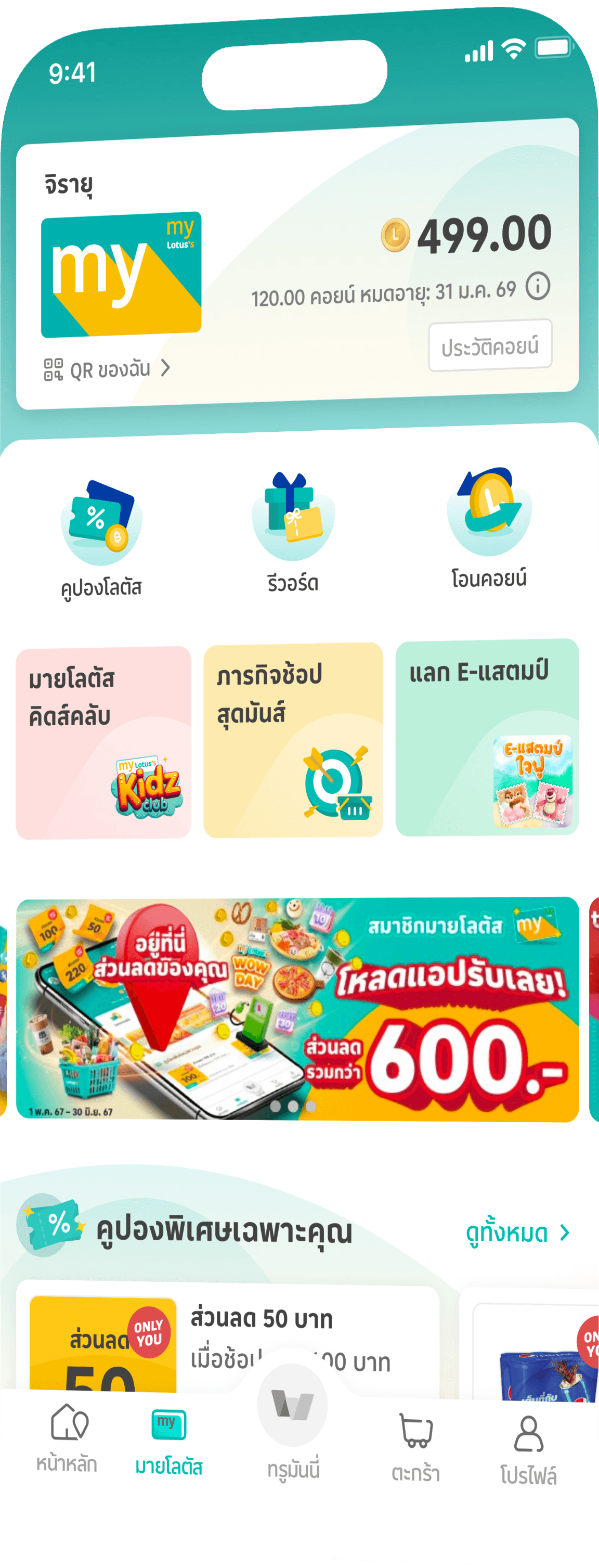

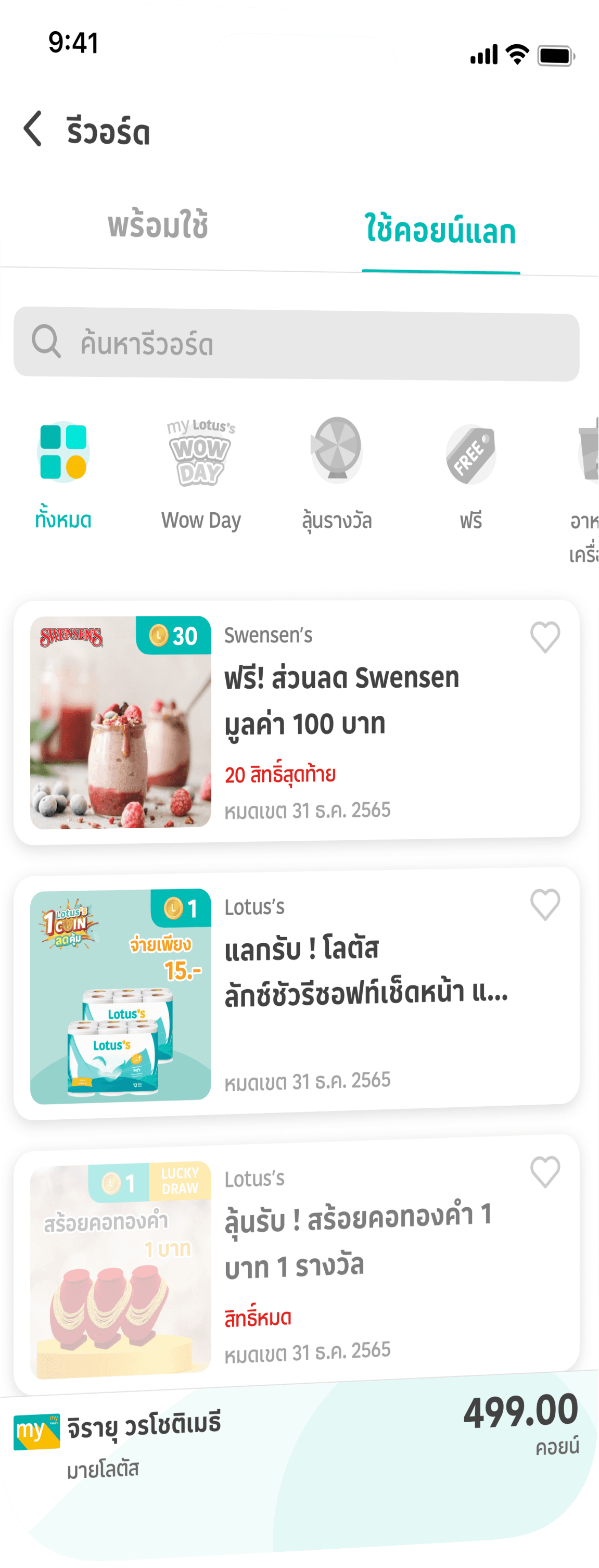

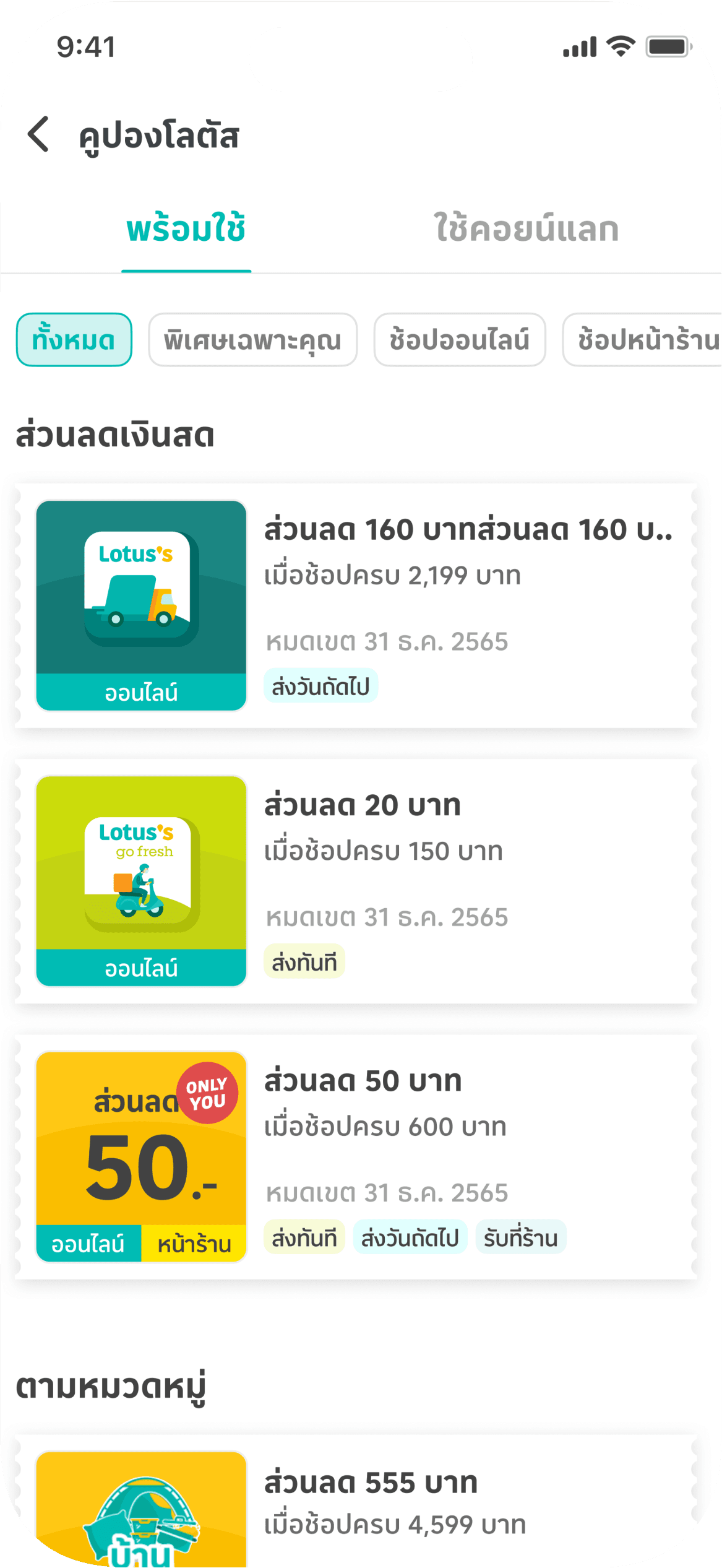

My Lotus’s brings together Coins, coupons, privileges, and member activities. I worked on these experiences across multiple releases, from requirements and user flows to UI design and developer handoff. My work included the membership homepage, coupons and privileges, Coins history, shopping missions, and seasonal campaigns. I also contributed to Gold Tier research and concept design.
A JOURNEY ACROSS
Approximate periods of design and delivery.
2023
Coupons & privileges redesign
2024
Shopping mission
2025
Seasonal campaigns
2026
Further refinements & Gold Tier concepts
Existing loyalty research by the team highlighted difficulties in finding offers, understanding benefit types, and knowing where coupons could be used. I used these findings to guide the redesign.
Some participants struggled to find deals and gave up searching.
Participants were unclear about the differences between coupons, privileges, and Coin redemption.
Separate entry points and missing labels made online and in-store coupons hard to tell apart.
Participants wanted to quickly reopen offers they had found when checking out in-store.
Across several releases, I updated navigation, offer categories, and coupon organisation to help members find offers and see which coupons they already had and which offers required Coins.
In-store and online coupons were accessed separately.
An extra tap showed the same partner offers when no Lotus’s offers were available. Switching offer types required going back.
Text-only category tabs were easy to miss.
I moved My Coupons to the first position to support the business goal of increasing coupon visibility.
“แลกคอยน์” and “โอนคอยน์” sounded similar, so I renamed the offer menu to focus on benefits. I also clarified that the redeemed-coupon tab held both Lotus’s and partner coupons exchanged with Coins.
I brought both coupon types into My Coupons, with badges showing where each could be used and filters to view in-store or online coupons separately.
I placed Lotus’s and partner privileges in two tabs on the same page, so members could switch between them without returning to the previous screen.
When no Lotus’s offers were available, the page opened on the partner tab.
I added search so members could look for partner offers without browsing the full list.
I added icons alongside category labels to make the browsing options more noticeable.
Members could save offers they were interested in before redeeming them and return to them through Favourites.
Saved offers accessible across Membership Page, Profile Page, and Favourites Page
Matched the coupon layout and reused 1:1 artwork across platforms, reducing the need for multiple artwork formats.
Required a separate landscape version of the artwork instead of reusing the existing 1:1 format.
Cards with 1:1 images were taller, so only two full cards fit on the screen.
Options A and B tied at 8 votes each. We chose A for a consistent coupon layout and reusable artwork.
I brought ready-to-use coupons and offers requiring Coins into the Lotus’s Coupons section, with separate tabs for each.
Members could explore Lotus’s offers without switching between My Coupons and a separate redemption section.
Partner offers were grouped under Rewards, with tabs for ready-to-use coupons and offers requiring Coins.
If members had no ready-to-use partner coupons, Rewards opened on the Coin-redemption tab so they could browse available offers.
The Membership page brings key actions to the top, so members can find coupons, check their Coins, and join campaigns more easily.
Hover or select a callout to locate it on the screen
Coins History Page 2024
Coins History Page — Earlier releases
Added filter tabs (All, Earned, Redeemed) and clearer transaction grouping so members can trace Coin activity without scrolling through a flat list.
Coins Transfer Page 2025
Coins Transfer Page — Earlier releases
Revamped the partner list into a horizontal card layout consistent with the membership system—showing more partners at a glance with upfront conversion rates and clear account-linking actions to distinguish linked vs. unlinked partners.
I also designed shopping missions and seasonal activities, including E-Stamp, Random Card Game, and Scratch Game.
Seasonal campaigns and interactive activities help make the membership experience more engaging.
Retention activity
Complete monthly spending milestones to unlock bonus Coins or cash coupons, giving members a clear progress goal.
Seasonal campaign
Shop to collect digital stamps throughout seasonal campaigns and redeem exclusive premium merchandise.
Interactive campaign
Playful card-flip mechanic encouraging repeat visits during festive promotions for instant coupons and Coin rewards.
Interactive campaign
Quick tactile scratch-to-reveal experience designed for seasonal giveaways and instant surprise benefits.
NEXT STEP
Happy to share full research decks, usability metrics, and Gold Tier explorations during an interview.

